
How to Create a Survey with Customer Thermometer

Deriving actionable, insightful feedback from clients and customers can often be daunting, but Customer Thermometer makes it both simple and a lot of fun. Creating your first survey with Customer Thermometer can be achieved in minutes – and it’s completely free so why not give it a try today!
Create a Survey with Customer Thermometer – Step by Step
In this post we’ll walk you through the process of creating a survey online with Customer Thermometer. It should be noted that in Customer Thermometer a survey is called a ‘thermometer’.
Here’s an overview of the key steps in the process:
- Carry out preliminary preparation to define your objectives and create your Customer Thermometer trial account.
- Decide on the type of survey that you want to carry out and make the appropriate selection.
- Create either an embedded, integrated survey (including email signature surveys) or an email survey sent directly from Customer Thermometer.
- Configure your landing pages as required.
- Distribute your survey.
Now let’s walk through the details involved in each of these stages.
1) Preliminary Preparation
- Start by clearly defining the objective(s) and why you want to make a survey. Answer the question: What is this survey required to deliver?
- Identify your target audience. Who are they? Where are they? What are their demographics and key attributes? If you are planning on carrying out an email survey, prepare your list of contact details.
- If you have not already done so – sign up for the Customer Thermometer free trial account.
2) Select the Type of Survey
- Once signed up you can immediately choose to either:
- Launch the Thermometer Wizard – or
- Launch the app instead.
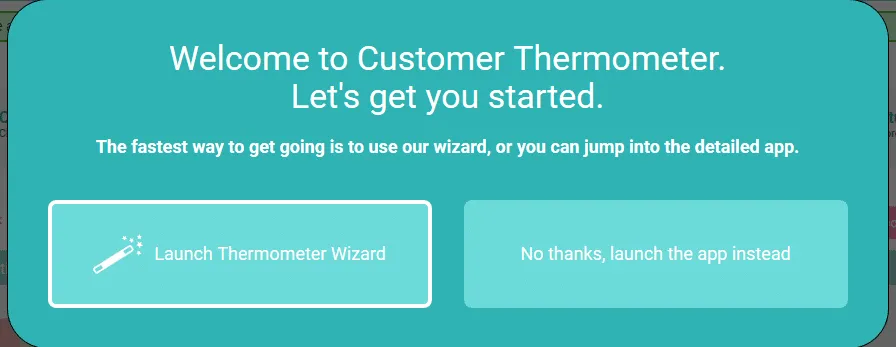
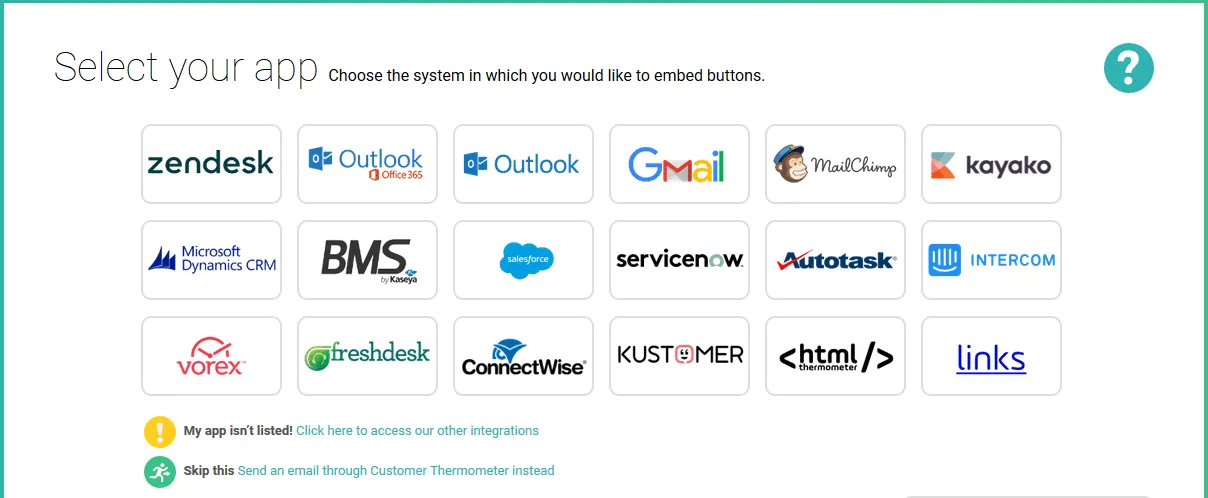
- Clicking the ‘Launch the Thermometer Wizard’ option takes you to a screen where you can select the application with which you would like to use Customer Thermometer.
- Customer Thermometer integrates with many helpdesk and customer service platforms using embedded thermometers (surveys).
- Embedded thermometers can also be incorporated into Gmail and Outlook email comms.
-
If the application with which you would like to use Customer Thermometer is not presented, click the appropriate link to either:
- Access other integrations – or
- Send an email through Customer Thermometer instead.
-
If you have clicked the ‘Access other integrations’ option you are taken directly to the ‘Add a new Embedded Thermometer’ screen where you can open the drop down list to select the integration you are seeking.
- If you are aiming to send embedded email of Outlook surveys, this is where you make those selections.
- If your application or platform is not listed simply select the ‘Basic HTML’ option to generate appropriate code for you to embed in your app.
3a) How to Create an Embedded Survey
- Customer Thermometer integrates with a huge number of popular platforms and applications. To create an embedded thermometer for any of those available, select the relevant embedded thermometer type or platform from the drop down list. Selecting ‘Basic HTML’ will generate the required code that can be used in other, unlisted applications.
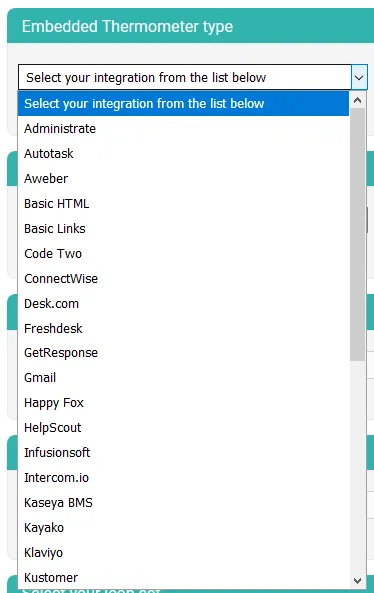
- Complete the available fields presented from the ‘Add new Embedded Thermometer’ screen.
- Give your embedded survey a unique, descriptive name.
- Enter the survey question that you would like to ask.
- Select your icon set from which respondents will select their answers.
- Having selected your icon set – provide text descriptions for each of the ratings that are relevant to the question you have asked.
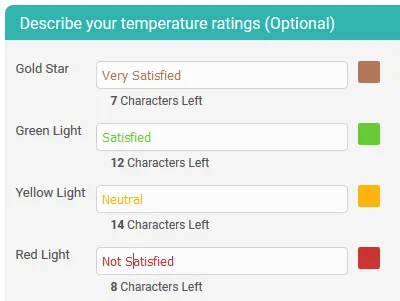
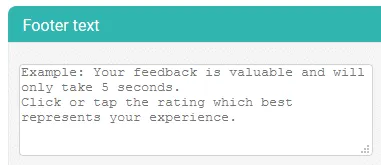
- You can also add some relevant, helpful text which will appear under your answer icons in the footer text field.
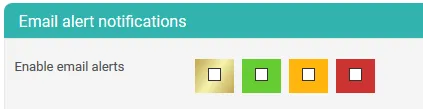
- Decide whether you want to receive email alerts when respondents select specific (or all) answer options. For example, you might wish to be alerted whenever a respondent indicates they were not satisfied.
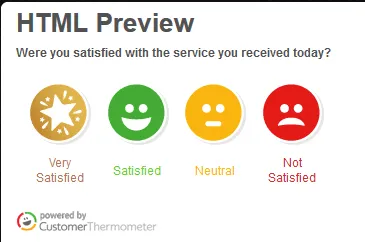
- When all fields have been completed you should save your newly created survey (thermometer) and then click the ‘Generate embed code’ button to preview the survey.
- You are now ready to configure your landing pages which survey participants will see after they have clicked a response icon. Landing page configuration is addressed in a subsequent section.
3b) How to Create an Email Survey
- If you selected the ‘Send an email through Customer Thermometer’ option you are taken to the ‘Manage and Make Thermometers’ screen.
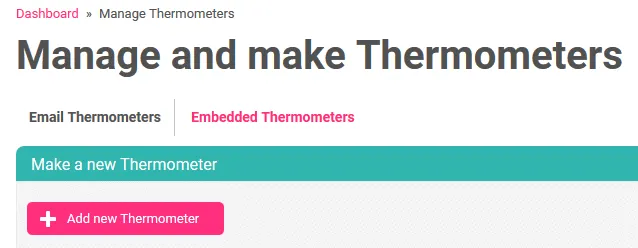
- On the ‘Manage and Make Thermometers’ screen there are a number of pre-configured email survey templates which provide a great starting point enabling you to quickly implement a highly effective, simple survey which will get a great response rate.
- Clicking on any of these example thermometer templates will show you exactly how they are configured.
- Example thermometers can be duplicated and edited to speed up your survey creation process.
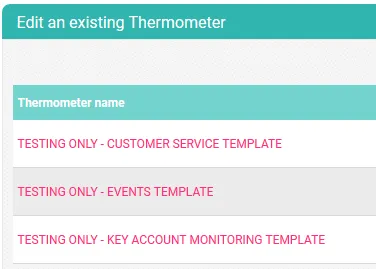
- Duplicating one of the existing email thermometer templates provides the basis for fast customer survey creation.
- Give your new or duplicated email thermometer a unique, descriptive name and save it.
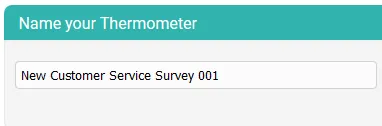
- The existing email thermometer templates are pre-configured with questions, email body text, icon selection and ratings text descriptions. All you need to do is verify that the setting meet your requirements.
- Confirm or edit the pre-configured example question.
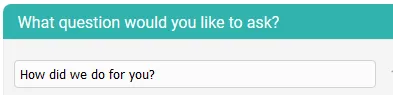
- If you wish you can enter an alternative email subject line to the defined question.
- Verify that the default email salutation (dear) is appropriate.
- Examine the default email body text and verify that it’s appropriate.
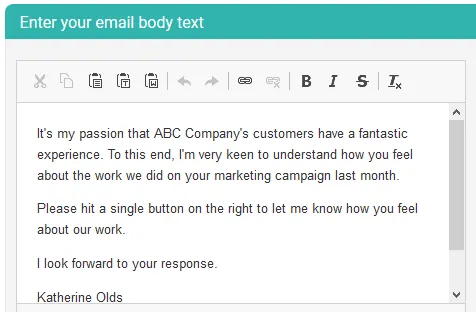
- Select your icon set.
- Available choices include Emoticons, Indicators, Voting buttons, Seasonal and Other, NPS and Custom.

- You can then select whether your answer icons will be presented vertically or horizontally and the order in which the options are presented. Default settings are vertical icons with the best option at the top and worst at the bottom.
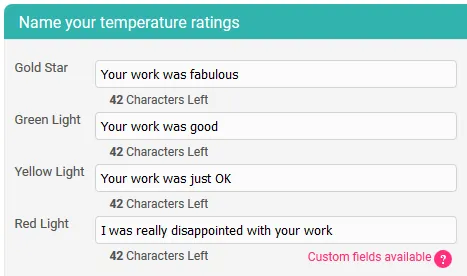
- Name your temperature ratings. Give them text descriptions.
- Leaving a field blank removes that option from the answer choices.
- You can then optionally add a logo to your email thermometer.
- And you can also choose the color of your text bar which might be selected to match your brand colors.
- Enter the details of the person sending the email.
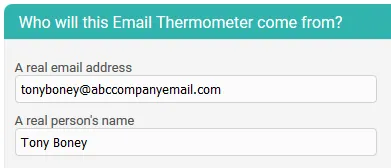
- The next email thermometer ‘reply to’ address field defaults to your account email address. This can be changed if required.
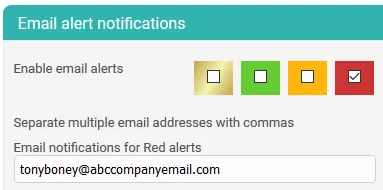
- If required, the Customer Thermometer system will send you an alert email if a survey participant clicks a specific response. If this is not required unchecking the boxes means you will not receive any alerts.
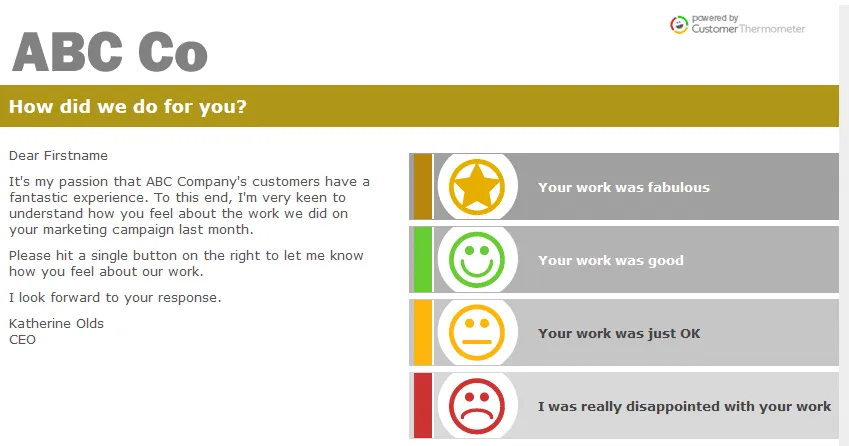
- Having completed all of the setup fields click the ‘Save’ button and then the ‘Preview Thermometer’ button to see what your draft email survey will look like.
- If you are not happy with any aspects these can be readily changed from the configuration screen.
4) Configure Your Landing Pages
- Having created either an embedded thermometer or an email thermometer you next need to configure your landing pages. These are the pages that your survey respondents will see when they have clicked on one of the provided answer option icons.
- Click on the landing page setup button.
- Separate, configurable landing pages are created for each of the response options available in your survey. Default settings are provided but these should be examined and reconfigured to match your requirements.
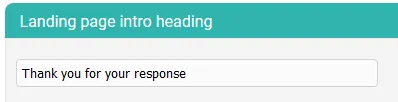
- The ‘landing page intro heading’ is the text presented at the very top of your landing pages. Set this to what you require or leave the default as is.
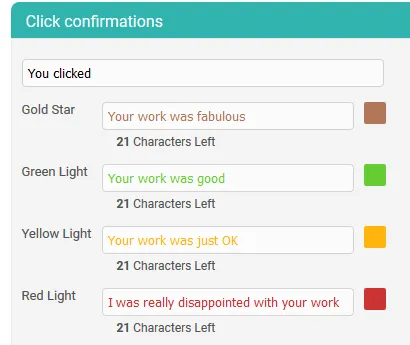
- You should make certain that the text in the fields under ‘Click confirmations’ matches the text that you associated with each of your survey response options.
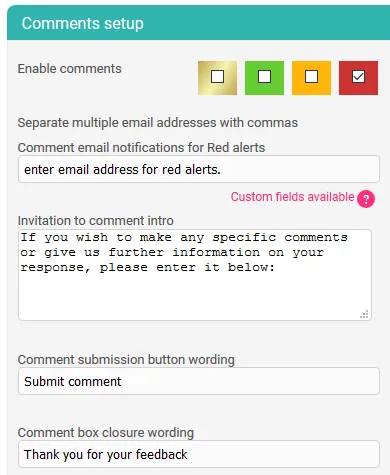
- You also have the valuable option to present respondents with a comment box from their landing pages. This might be used to elicit more feedback specifically from people who have indicated that they were unhappy.
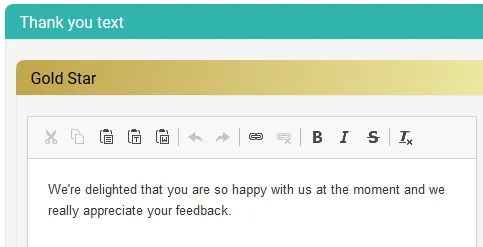
- The ‘Thank you’ text that’s presented from each of the landing pages can be edited appropriately for each of the landing pages.
- Your landing pages can also be personalized with your social media buttons.
- Your landing pages can be customized with your logo, promotional image and footer image.
- If comments are enabled a button is presented from the landing page the color of which can be defined in the landing page configuration.
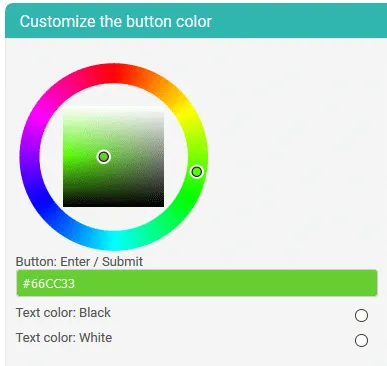
- The final landing page configuration option is to select your background color which can be chosen to match brand colors.
- Having made all required landing page configurations save your settings and return to the top of the page where you can select previews of each landing page, associated with each of your survey response options.
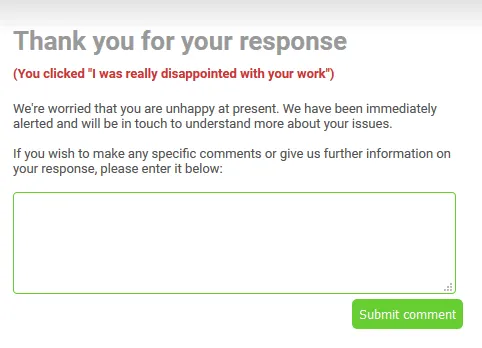
- Having created your Customer Thermometer email survey (thermometer) and associated landing pages this can now be evaluated by sending a test thermometer to yourself.
- Return to the ‘Manage Thermometers’ tab.
- Under ‘Actions’ select the envelope icon associated with the thermometer you wish to test.
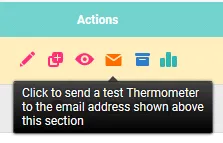
- Check your email and verify that the test thermometer email has been received.
- Open the message, verify that it appears as required and click on a response.
- If using a test thermometer an appropriate message is displayed and your account credits are not debited.
5) Distribute Your Survey
Having created your survey (thermometer) and its associated landing pages you are almost ready to start your survey for real. The next thing you need to do to carry out email surveys from Customer Thermometer is to compile a list of target email addresses and recipients.
- In your Customer Thermometer dashboard click on the ‘Manage Lists’ tab.
- To create a new list of recipients with email addresses click on the ‘Add new list’ button.
- Email recipient details should be entered in this format: email-address,First name, Surname. For example: [email protected],Joe,Bloggs. Note that there should not be spaces between the commas and adjacent characters.
- Target survey respondents may also be added to lists via uploaded CSV files.
- Having created your thermometer, landing pages and email target list you are now ready to carry out a ‘blast’. A blast is the term used to refer to the process or automatically sending thermometers (surveys) to the designated recipients.
- Before sending the blast you should verify that all details are correct on the ‘Final Confirmation’ screen.
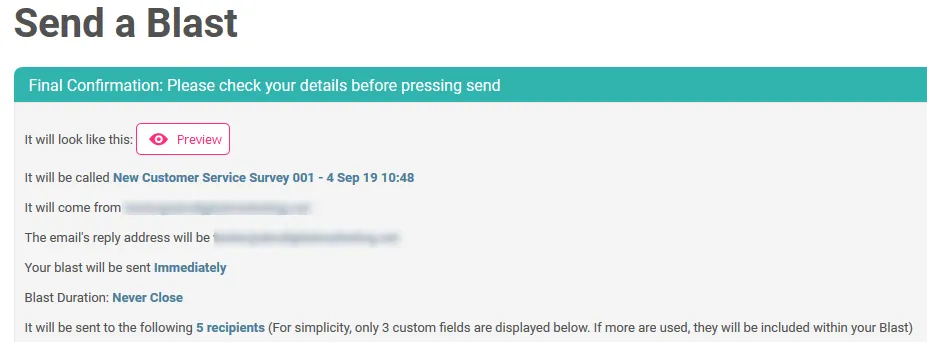
- Once you are happy – click the ‘Send Blast’ button to commence the survey.
Your free trial Customer Thermometer account gives you 10 free credits which enables you to setup and run a small survey and gain immediate feedback from your customers. Survey responses are presented from your Customer Thermometer dashboard in real time, enabling you to quickly see how your customers and clients are feeling. We are confident that once you have experienced the simplicity and ease of Customer Thermometer it will immediately become your go-to system for fast and effective customer feedback surveys.
Your free trial starts here, no credit card or other info needed…
Your name *
Your company *
Your email address *
Your password *
Comments