
Customer Thermometer launches 1-click ticket ratings for Kaseya BMS

Today, we’re delighted to announce one of our closest and most valuable integrations yet.
Kaseya creates software used by more than 10,000 customers, specialising in IT management services. Over the last few months, we’ve got to know the Kaseya team well. They’ve been a delight to work with and through a combination of customer demand and working together with the Kaseya team, we’ve created a unique 2-way integration.
1-click ticket ratings for Kaseya BMS
As of today, customers are now able to embed Customer Thermometer feedback buttons into Kaseya BMS tickets, prompting customers for feedback on resolution of, or during a ticket.
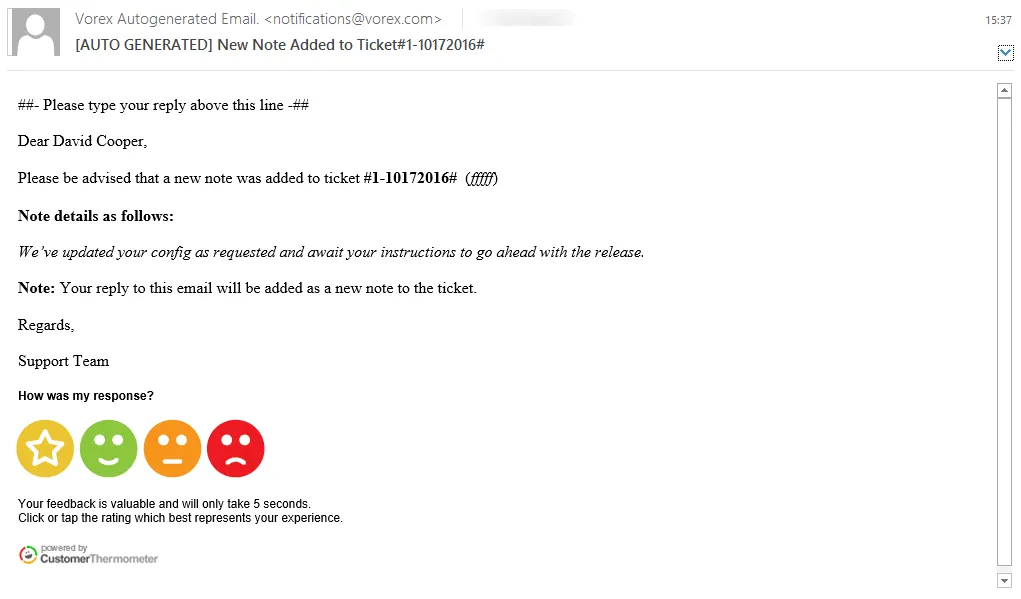
After setting up a Kaseya BMS (or Vorex) Embedded Thermometer within your Customer Thermometer account, customers can then configure their Kaseya BMS workflows and email notification templates to generate feedback requests when they need them.
The setup process takes around 30 mins.
Show 1-click ratings and comments directly within your ticket screens
Depending upon your configuration, ratings and comments left by customers will display directly on Kaseya BMS ticket screens as well as within your Customer Thermometer account. Brightgauge dashboards can also be used by customers to display metrics from both applications.
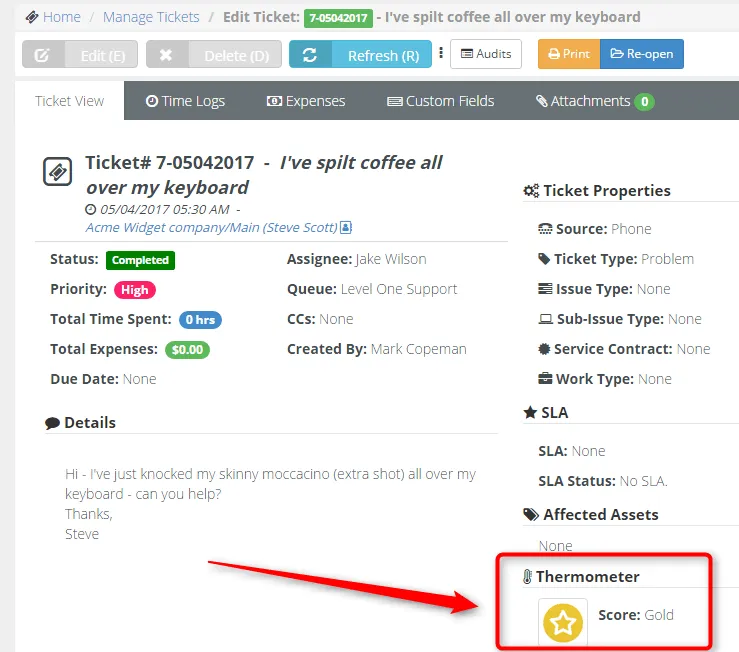
With no other native or 3rd party method of requesting and storing feedback on Kaseya BMS tickets, we believe this is a big step forward for Kaseya BMS customers.
Using Customer Thermometer, customers will be able to:
- Setup the integration within 30 minutes, no developers required
- Choose when feedback requests are sent, based on Kaseya BMS workflow functionality
- Create custom feedback icons to match brand guidelines
- Use words underneath icons to be more descriptive
- Get amazing response rates, thanks to the 1-click feedback mechanism
- View ratings and feedback directly on the ticket as well as within their Customer Thermometer account
- See the feedback history on a ticket
- Trigger workflows off the back of ratings
- Analyse feedback trends via your Customer Thermometer reporting dashboards
- Create feedback reporting directly from your Kaseya BMS ad hoc reporting
- Create League Tables of your agents’ performance – reward and coach
Customers love giving feedback – you just need to provide them with the right mechanism at the right time.
Want to get up and running?
If you’re already a Kaseya BMS (or Vorex) customer, you’ll need to sign up for a Customer Thermometer trial, which you can do in seconds.
You’ll find step-by-step instructions for connecting the two services on our integration setup page. (For Vorex users, see the Vorex integration documentation.)
You can also visit our stand at Kaseya Connect in Las Vegas, NV between 9-11 May.
What about Kaseya VSA?
We absolutely play nicely with the Service Desk module within Kaseya VSA too.
For full integration instructions, visit the Kaseya VSA integration page.